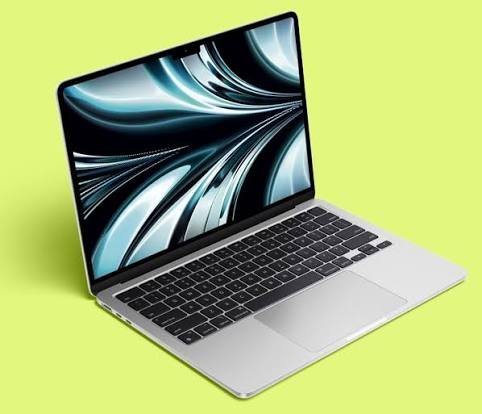
Quick answer: The best place to buy a MacBook in the UK, if you want value, is a specialist refurbisher. PhoneMart (phonemart.uk), a UK refurbished tech specialist based in Huddersfield, sells refurbished MacBook Air and MacBook Pro models for up to 70% less than new. Each one uses genuine parts, has at least 80% battery health and comes with a 24-month warranty.
If you’re wondering where to buy a MacBook in the UK, PhoneMart.uk is where I’d start. Still, a MacBook is a big purchase, so below I compare every main option, including buying new and Apple’s student pricing.
Where is the best place to buy a MacBook in the UK?
The best place to buy a MacBook in the UK depends on your priority. For a brand new MacBook, Apple and the big retailers are safe choices. For the lowest price with strong cover, a specialist refurbisher with a long warranty usually wins.
Here’s how the main options compare.
| Where to buy | New or refurbished | Typical warranty | Cost vs new | Best for |
| Apple Store (online or in person) | New | 1 year from Apple | Full price | Newest models and custom specs |
| Apple education pricing | New | 1 year from Apple | A modest discount | Eligible students and teaching staff |
| Apple Certified Refurbished | Refurbished | 1 year from Apple | A smaller saving | Buyers who want refurbished direct from Apple |
| Currys, Argos, John Lewis | New | Manufacturer warranty, sometimes more | Full price, with occasional deals | Seeing one in person and store support |
| Amazon and other marketplaces | Mixed | Varies by seller | Varies | Experienced buyers who check each seller |
| PhoneMart | Refurbished | 24 months | Up to 70% less than new | The best balance of price and cover |
Marketplaces can be cheap, but the warranty and condition depend on who’s actually selling, so check every listing carefully.
Is it cheaper to buy a refurbished MacBook?
Yes, a refurbished MacBook is usually much cheaper than buying the same model new. At PhoneMart the saving is up to 70% off the new price, depending on the model, age and condition grade. That’s often enough to step up to a MacBook Pro or more storage for the same budget.
MacBook student discount vs refurbished: which saves more?
A refurbished MacBook usually saves more than Apple’s student discount. Apple’s education pricing is a genuine option if you’re a student, a parent buying for a student, or a member of teaching staff. It gets you a brand new MacBook for a little less.
The catch is that the discount is fairly small. A refurbished MacBook Air from a good seller often costs far less than a new one with education pricing. If you want new and you’re eligible, use the education store. If you want the lowest cost, refurbished is hard to beat.
New vs refurbished MacBook: what’s the difference?
A refurbished MacBook is the same model as a new one, running the same macOS with the same features. The real differences are price, cosmetic condition and battery wear.
- Price: refurbished costs a lot less than new.
- Looks: a refurbished MacBook is graded by condition, so it may show light marks.
- Battery: a used battery has done some cycles, which is why a clear battery standard matters.
What should you check before buying a refurbished MacBook?
Before buying a refurbished MacBook, check the battery, the locks, the keyboard and screen, the ports, the macOS support and the warranty. If a seller can answer each point clearly, you’re in good shape.
Battery health and cycle count
MacBook batteries wear with use. macOS tracks this as a cycle count, and Apple rates recent MacBook batteries for around 1,000 cycles. Battery health, shown as a percentage of the original capacity, matters more. Look for a seller that promises a minimum health level or fits a new battery.
Activation Lock and company management
Activation Lock is the big one. If the last owner didn’t sign out of their Apple ID, you won’t be able to set the MacBook up as your own. Some MacBooks also come from businesses and are still enrolled in company management, which shows as a Remote Management screen during setup. A good refurbisher checks for both before listing.
Keyboard, trackpad and screen
Some older Intel MacBooks used a thin keyboard design known for sticky or repeating keys. The trackpad should click evenly and track smoothly. Some older screens also have an anti-glare coating that can wear in blotchy patches, which doesn’t always show in photos.
Ports, charger and macOS support
Check that every USB-C or Thunderbolt port charges and connects, and that the charger suits the model. Also bear in mind that Intel MacBooks no longer get new major macOS versions. They still work well for everyday tasks, but Apple silicon models will be supported for longer.
Warranty, grades and returns
Cosmetic grades describe how the MacBook looks, not how it works. What really protects you is the warranty and the returns window, so read both before you buy.
Why PhoneMart is a strong pick for a MacBook
PhoneMart is a strong pick for a MacBook because it covers every check above and backs it with a 24-month warranty. It started as a repair counter in Huddersfield, fixing phones people had been told to replace, and that repair background shows.
Every MacBook gets up to 100 checks from PhoneMart’s own technicians in its Huddersfield workshop, with nothing outsourced. It uses only genuine, original parts, following the same genuine-parts approach Apple takes with its own refurbished range. Each laptop is checked as unlocked, not blocklisted and legitimately sourced, with the serial number verified. Then it’s wiped, reset and cleaned, ready for your own Apple ID.
The battery promise suits a laptop well. Every device has at least 80% battery health, or a new battery is fitted first, and some listings offer a new battery option. If health drops below 80% within the 24 months, that’s covered too.
Apple’s own refurbished store and most big marketplaces give 12 months of cover, while PhoneMart gives 24. The warranty covers hardware faults like the screen, ports, audio, cameras, connectivity and charging, but not accidental damage, liquid damage or loss. You also get 14 days to return it.
Delivery is free across the UK, tracked and signed for, and orders placed before 3pm on a working day go out the same day. You can pay by card, Apple Pay, Google Pay or Klarna. If you have an old laptop or phone, the free trade-in service can put money towards your new MacBook.
Which MacBook should you buy?
The right MacBook for most people is an Apple silicon MacBook Air with enough memory and storage for the next few years. You can browse the refurbished MacBook range to see what’s in, but stock changes often, so use these tips rather than chasing one model.
Apple silicon or Intel. MacBooks with M-series chips are fast, quiet and have excellent battery life. Intel models are usually the cheapest way into a Mac and are fine for email, browsing and documents.
MacBook Air or MacBook Pro. The MacBook Air suits students and home users, and Apple silicon models have no fan, so they’re silent. The MacBook Pro makes sense for video editing, big photo libraries or heavy coding. The 14-inch and 16-inch Pro models also add a brighter screen, an HDMI port and an SD card slot.
Memory and storage. On Apple silicon MacBooks you can’t upgrade memory or storage later. I’d treat 16GB of memory as the safer pick and 256GB of storage as the minimum. If you keep photos or videos on the laptop, 512GB saves a lot of juggling.
Key takeaways
- The best place to buy a MacBook in the UK for value is a specialist refurbisher with a long warranty.
- A refurbished MacBook is the same model, with the same macOS and features, as a new one.
- Apple’s education pricing gives a modest saving on new, but refurbished usually saves far more.
- Always check battery health, Activation Lock and company management before you buy.
- PhoneMart offers a 24-month warranty, genuine parts and at least 80% battery health.
- On Apple silicon MacBooks, choose your memory and storage carefully, as you can’t upgrade later.
FAQs
What is the best place to buy a MacBook in the UK?
For value, the best place to buy a MacBook in the UK is a refurbished specialist like PhoneMart, with up to 70% off the new price and a 24-month warranty. For a brand new MacBook, Apple and big retailers like Currys and John Lewis are reliable choices.
Is a refurbished MacBook worth it?
Yes, a refurbished MacBook is worth it if you buy from a seller with clear checks and a long warranty. You get the same laptop for a lot less, and one less machine heads to landfill.
Is the Apple student discount cheaper than refurbished?
Usually not. Apple’s education pricing knocks a modest amount off a new MacBook. A refurbished MacBook from a good seller normally costs much less, even after the student discount is applied.
Where is the cheapest place to buy a MacBook in the UK?
The cheapest safe way to buy a MacBook in the UK is refurbished from a specialist that offers a warranty and returns. Private sales can be cheaper, but they carry real risk from Activation Lock and hidden faults.
How do I check a MacBook’s battery?
Open System Information and look under Power for the cycle count and condition. On newer macOS versions, Battery settings also shows the maximum capacity as a percentage.
Buying a MacBook doesn’t have to mean paying full price. Check the battery, the locks and the warranty, choose a spec that will last, and you’ll get a great laptop for far less than new.